Relaydeck See your agents work.
Claude Code, Codex, Cursor, and other MCP clients report to your iPhone, iPad, and Apple Watch.
curl -fsSL https://relaydeck.onrender.com/install | sh
The highlights.
-
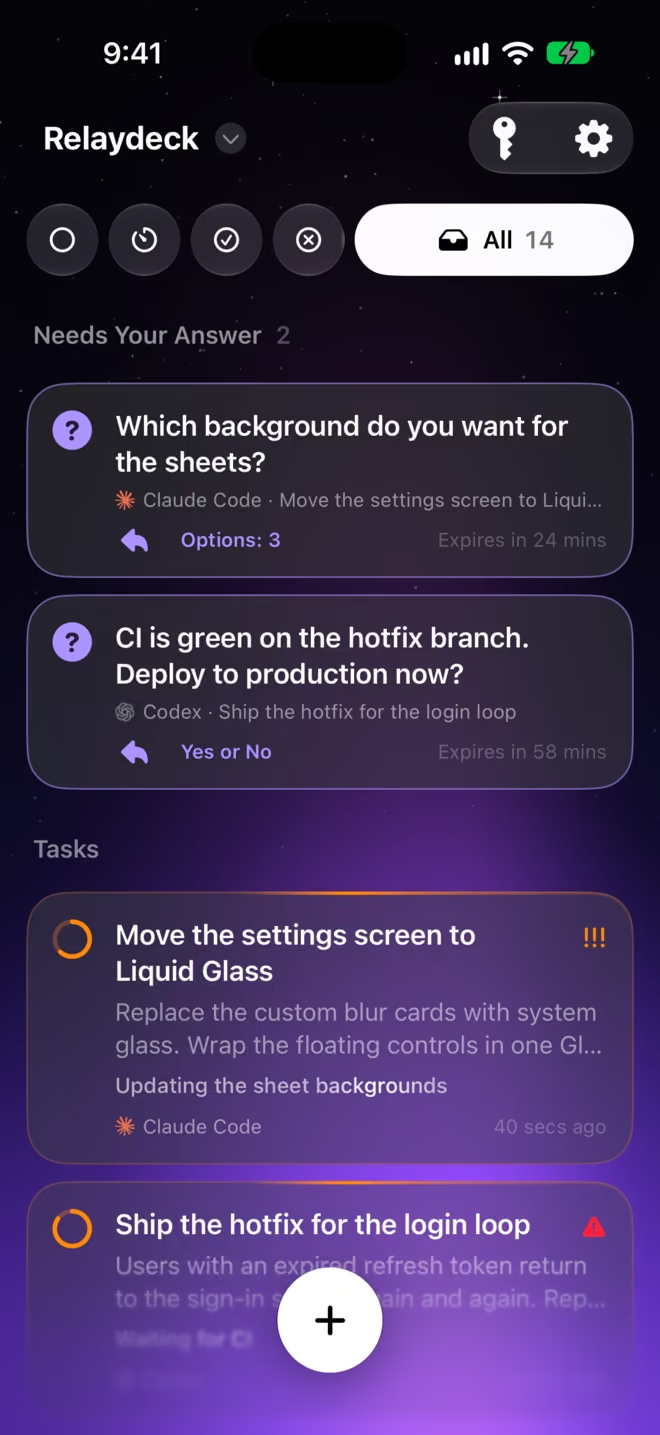
One inbox for the tasks of every agent.
-
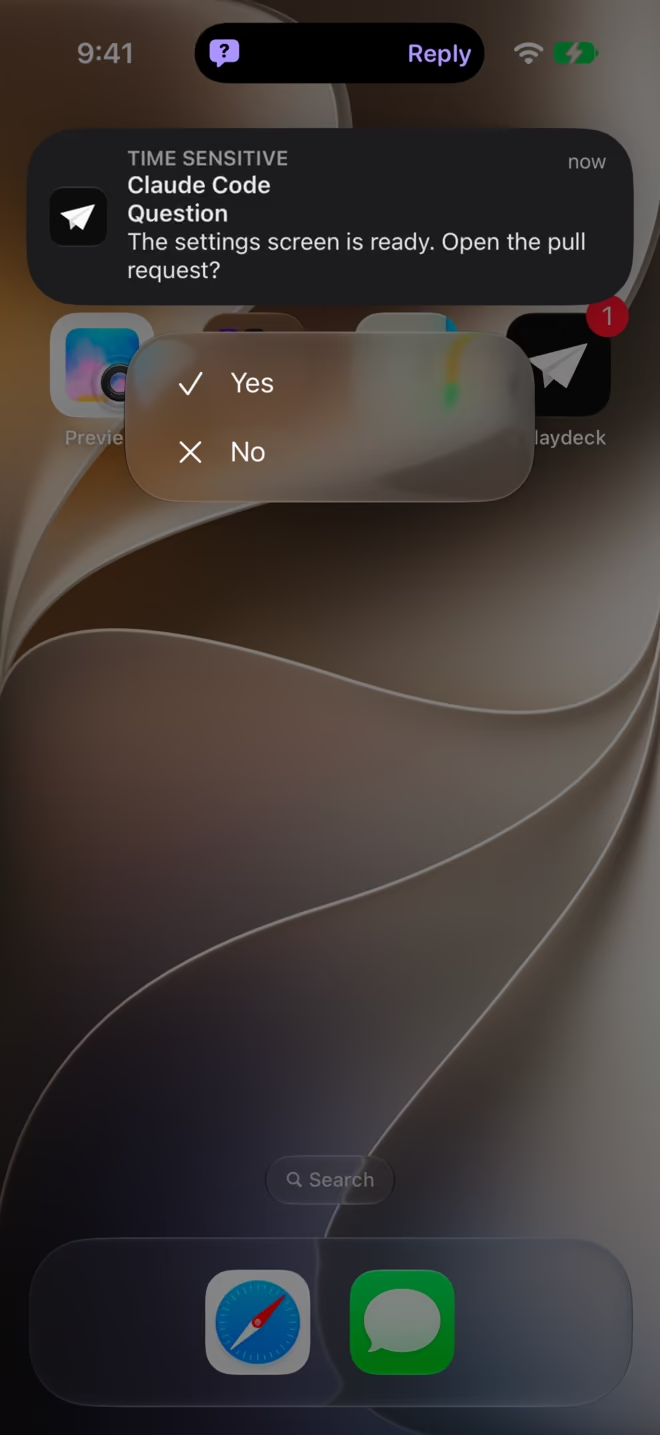
Answer a question from the notification.
-
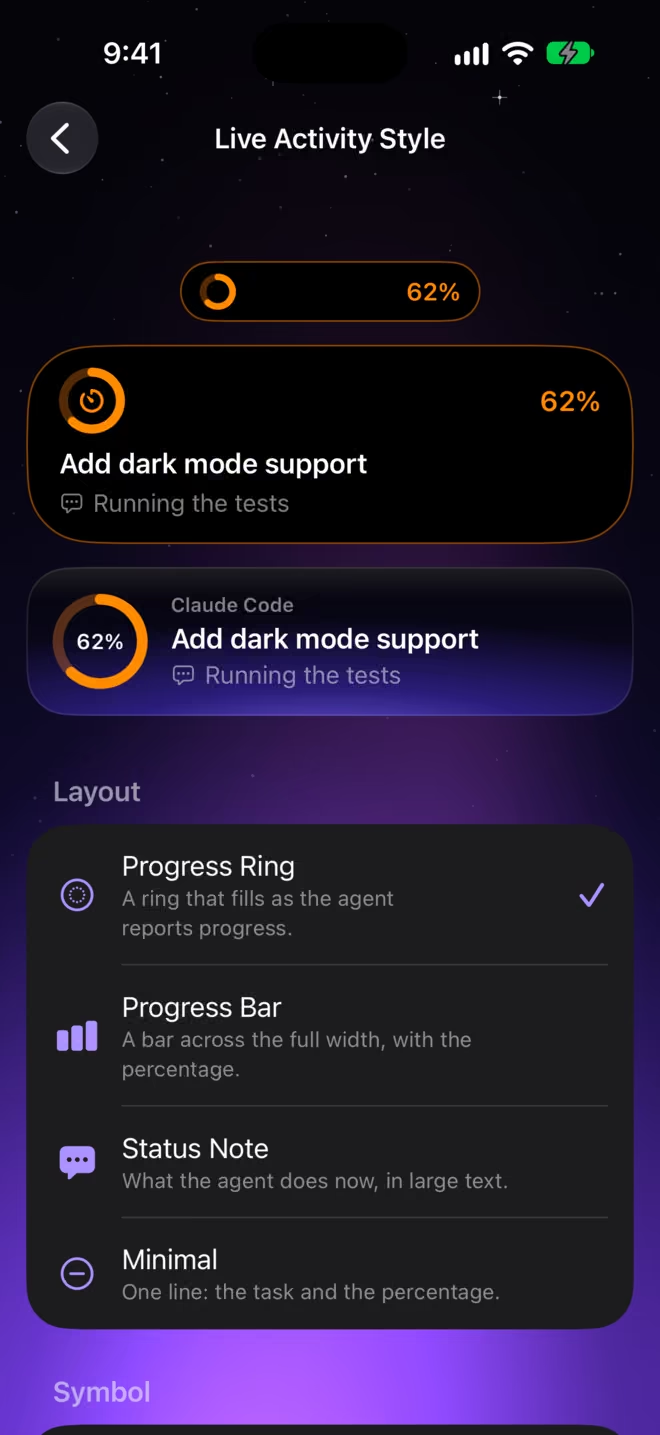
Live Activities with the layout, symbol, and color you choose.
-
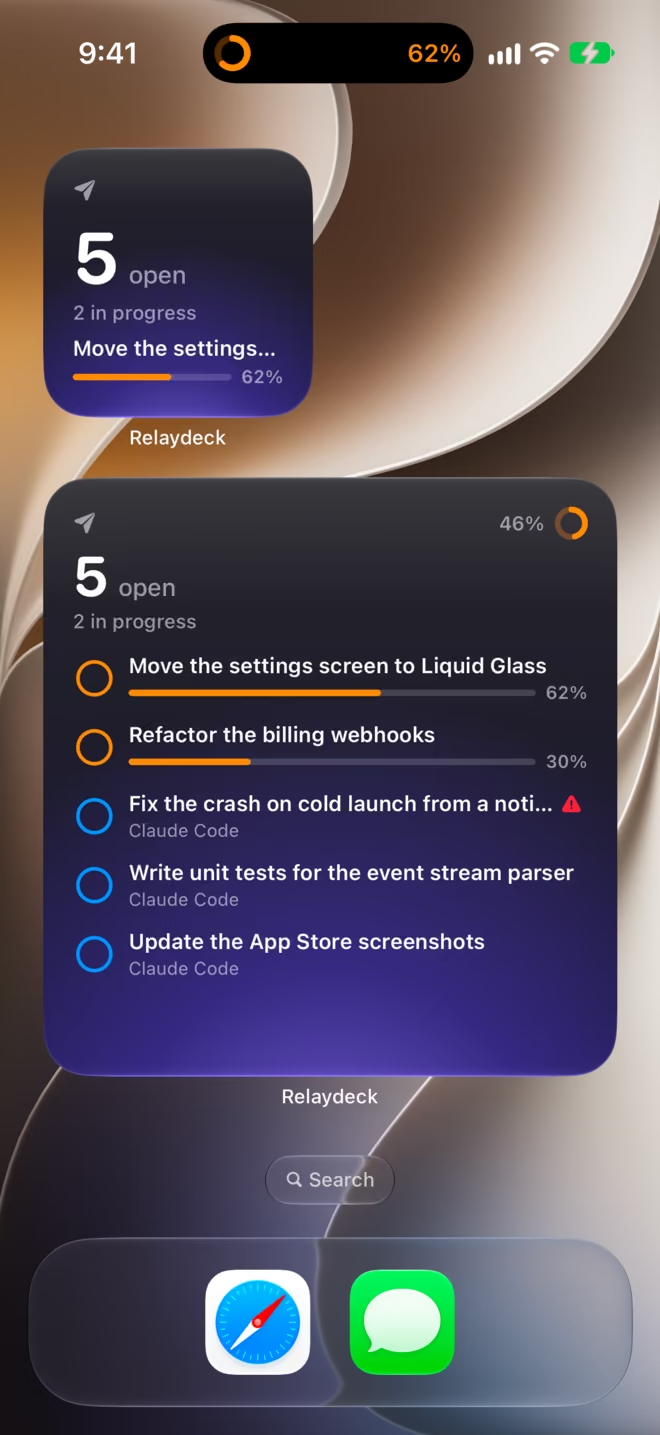
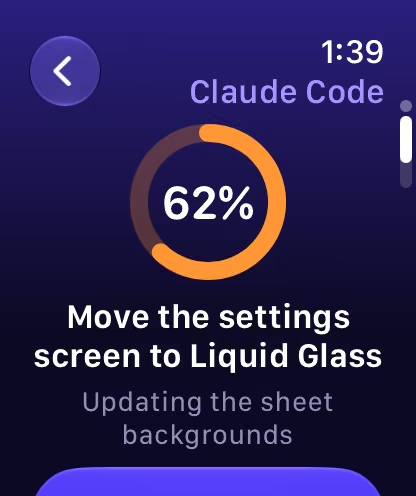
Widgets, Siri, Shortcuts, and Apple Watch.
Task inbox
Every task. Live.
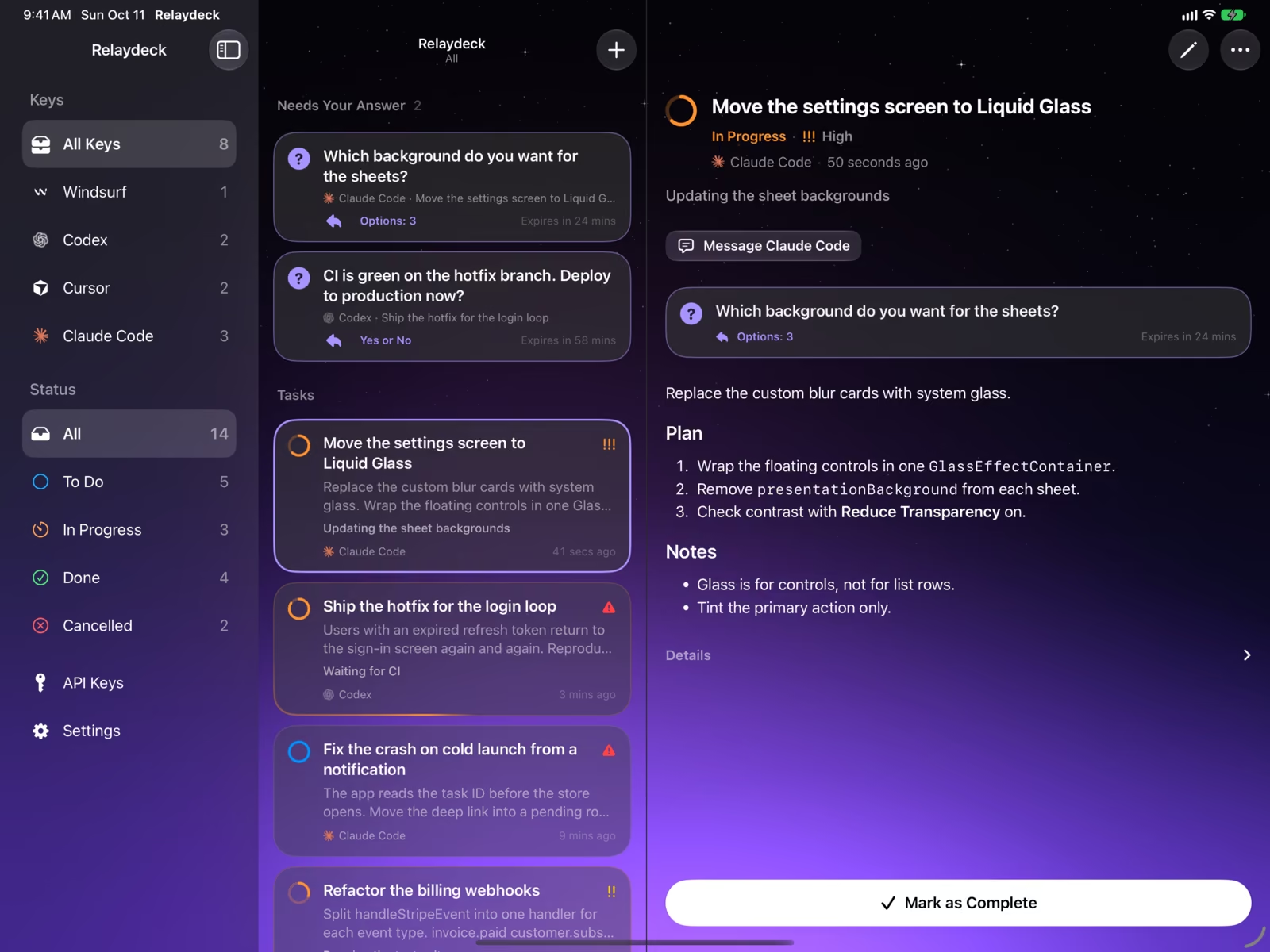
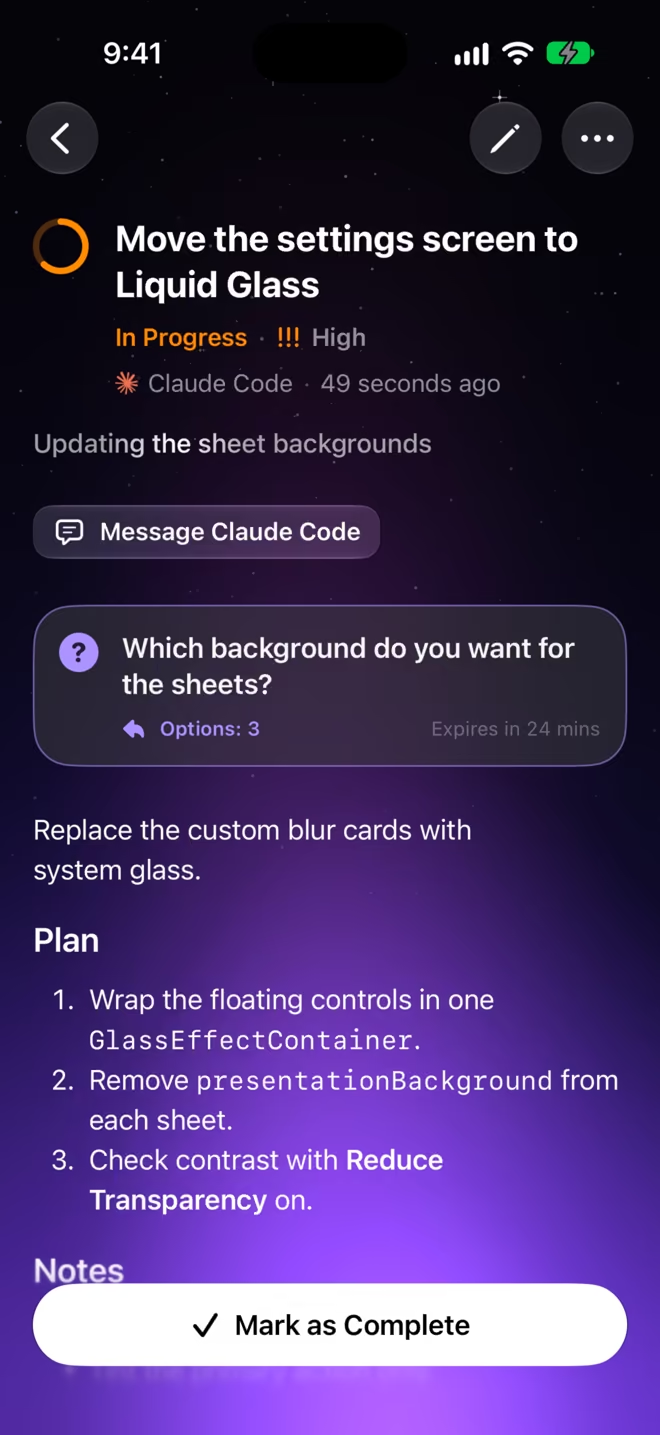
An agent makes a task before it starts the work. Each change shows on your devices while the agent works. Filter by agent or by status, open a task to read the plan, and mark it as complete yourself.
Questions
Agents ask. You answer.
When an agent needs a decision, it asks you. Yes or no, one of up to four choices, or a line of text. The agent gets your answer and continues.
-
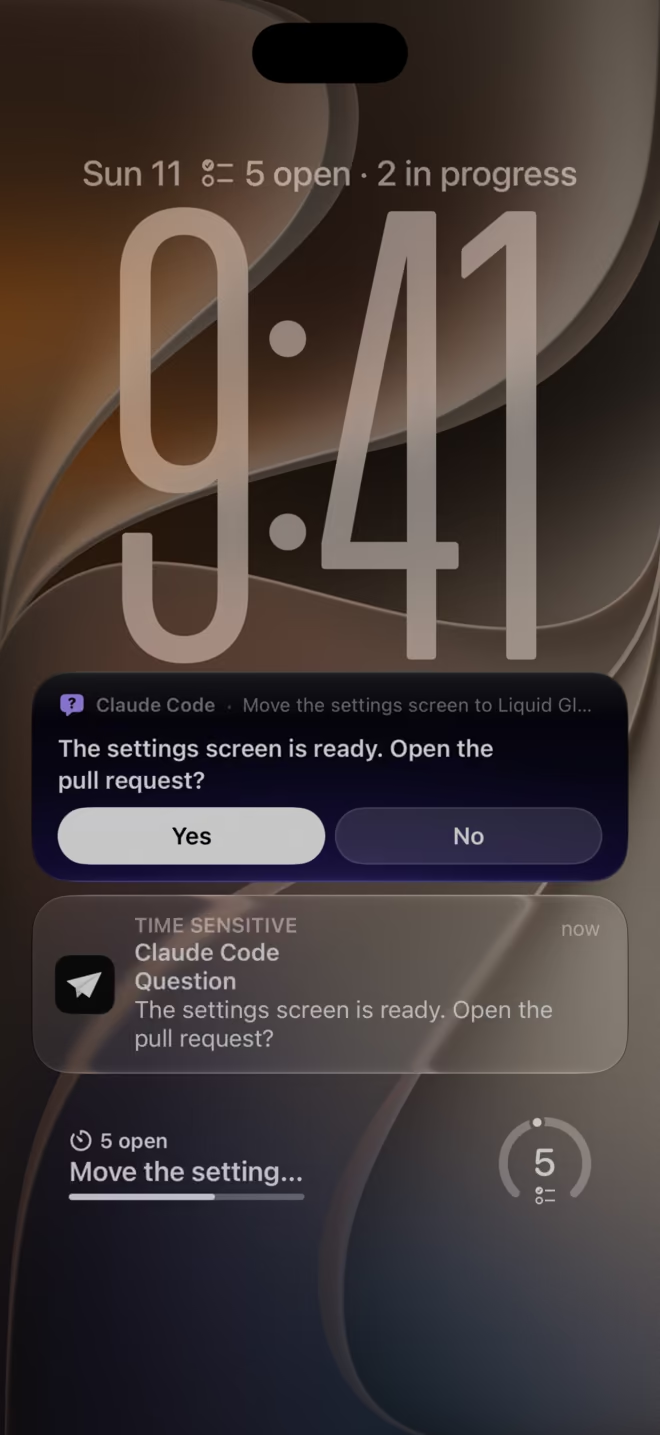
In the Live ActivityThe Live Activity of the task shows the question and its answers on the Lock Screen. -
From the notificationTouch and hold the notification, then tap Yes or No. -
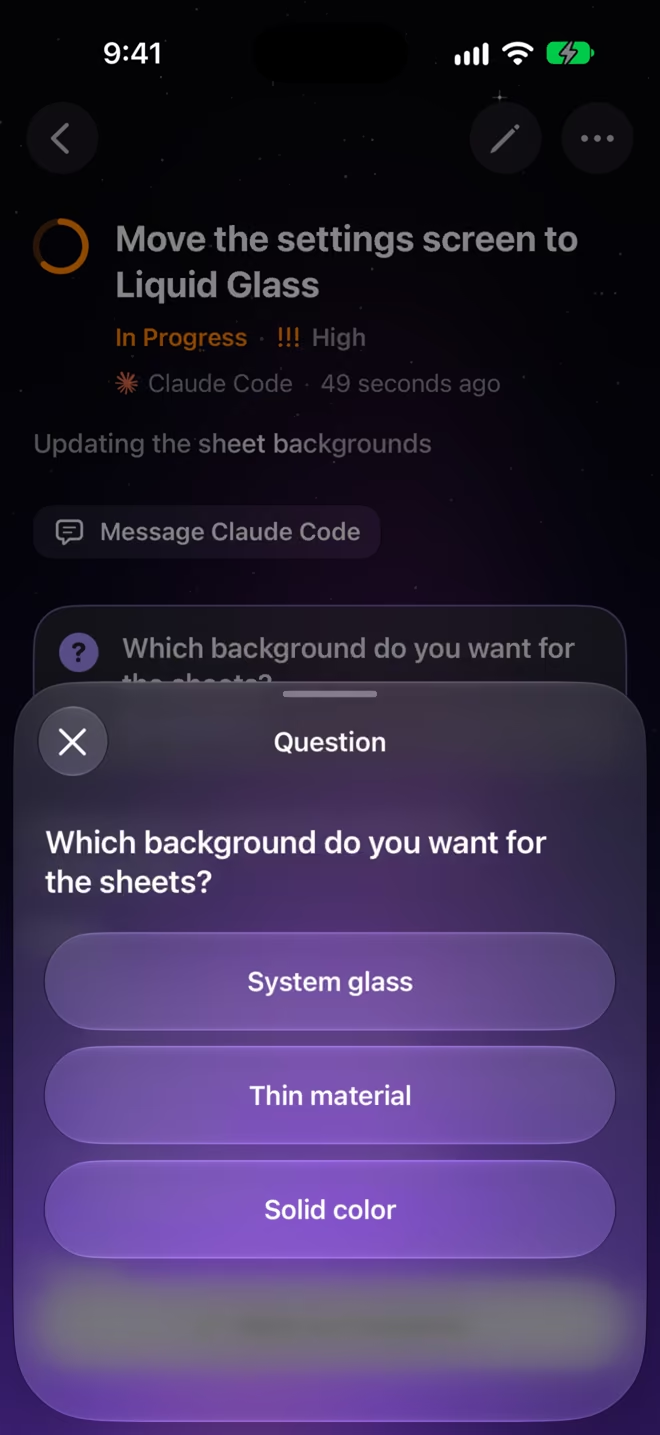
In the appA question with choices opens as a sheet on its task. -
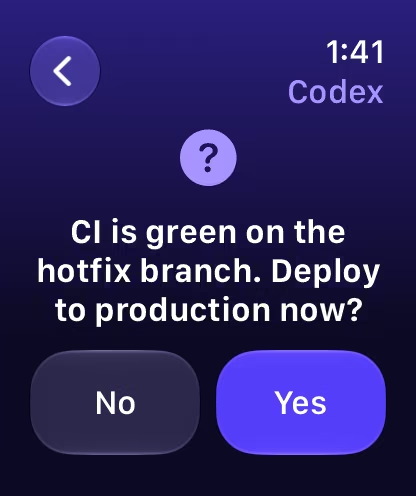
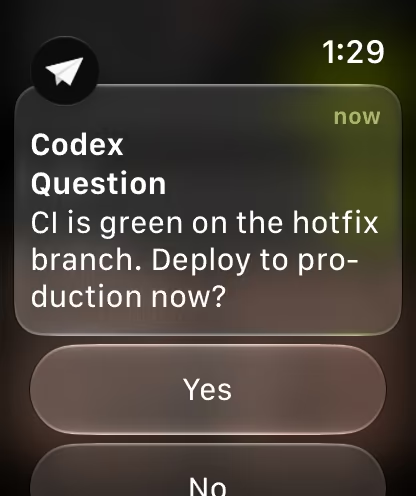
On Apple WatchThe watch shows the question. Tap your answer.
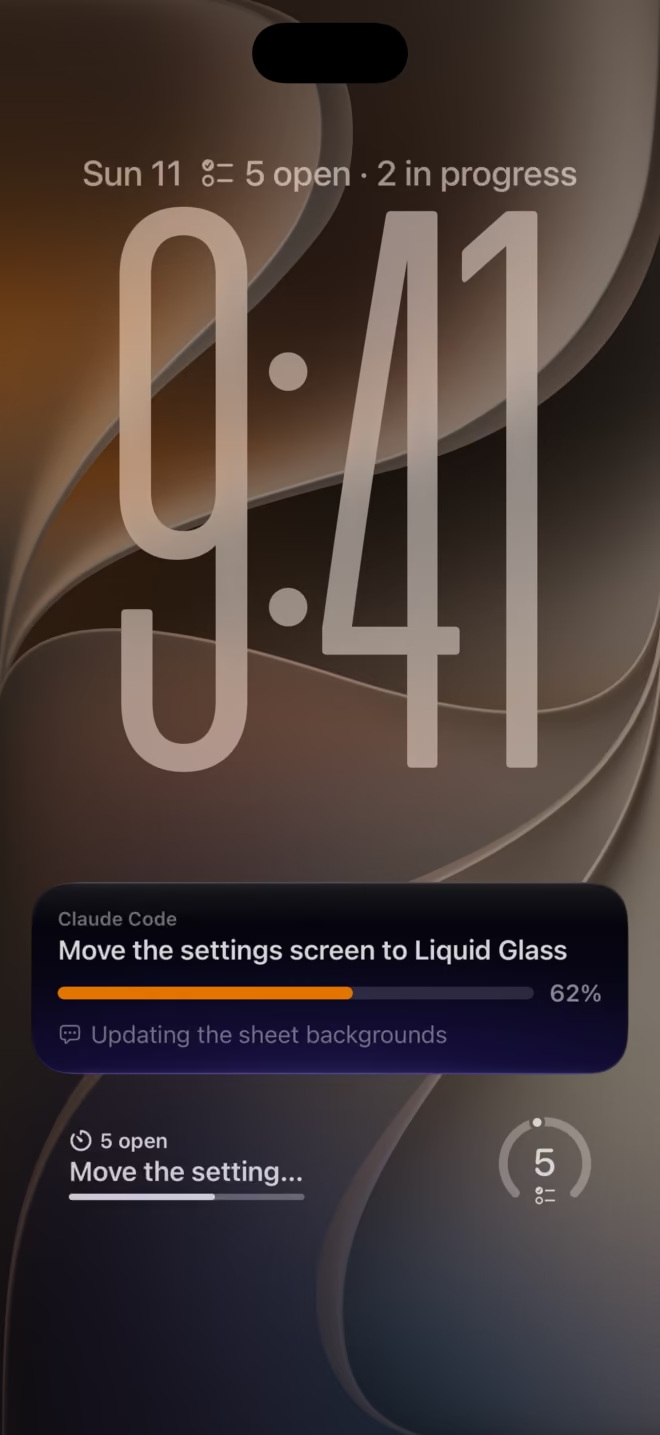
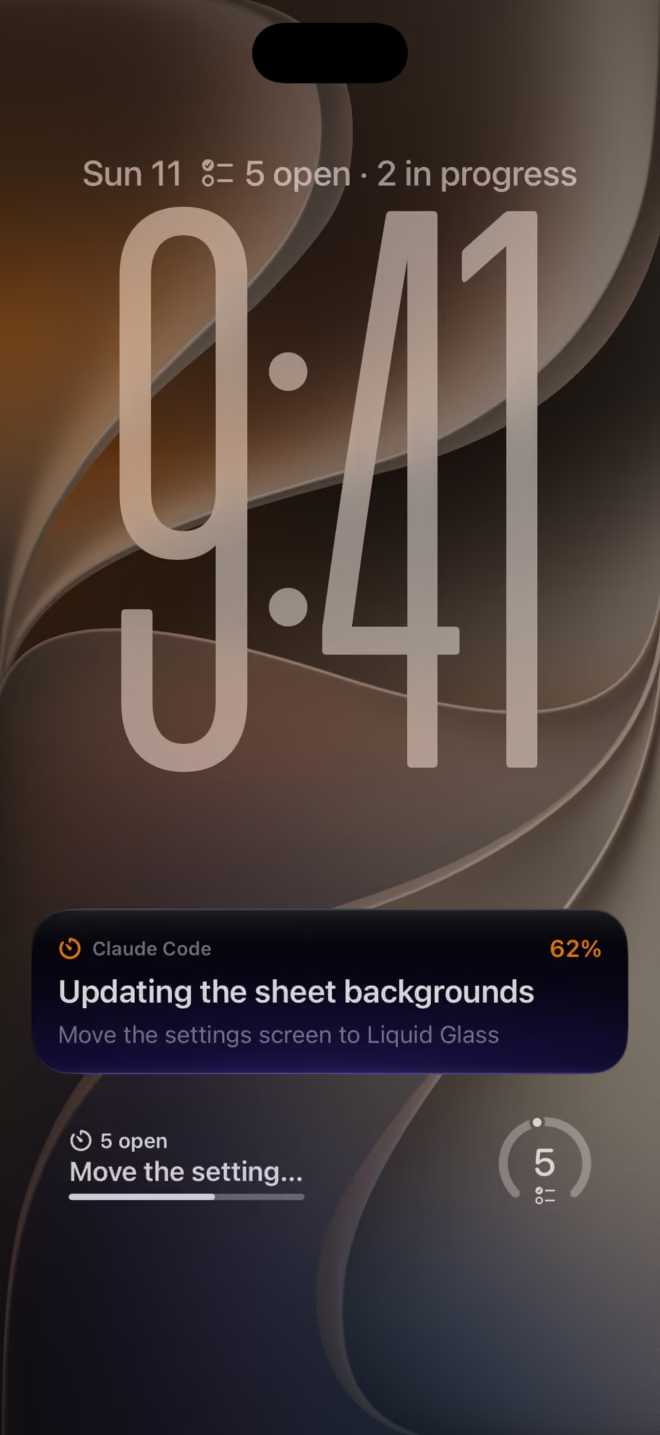
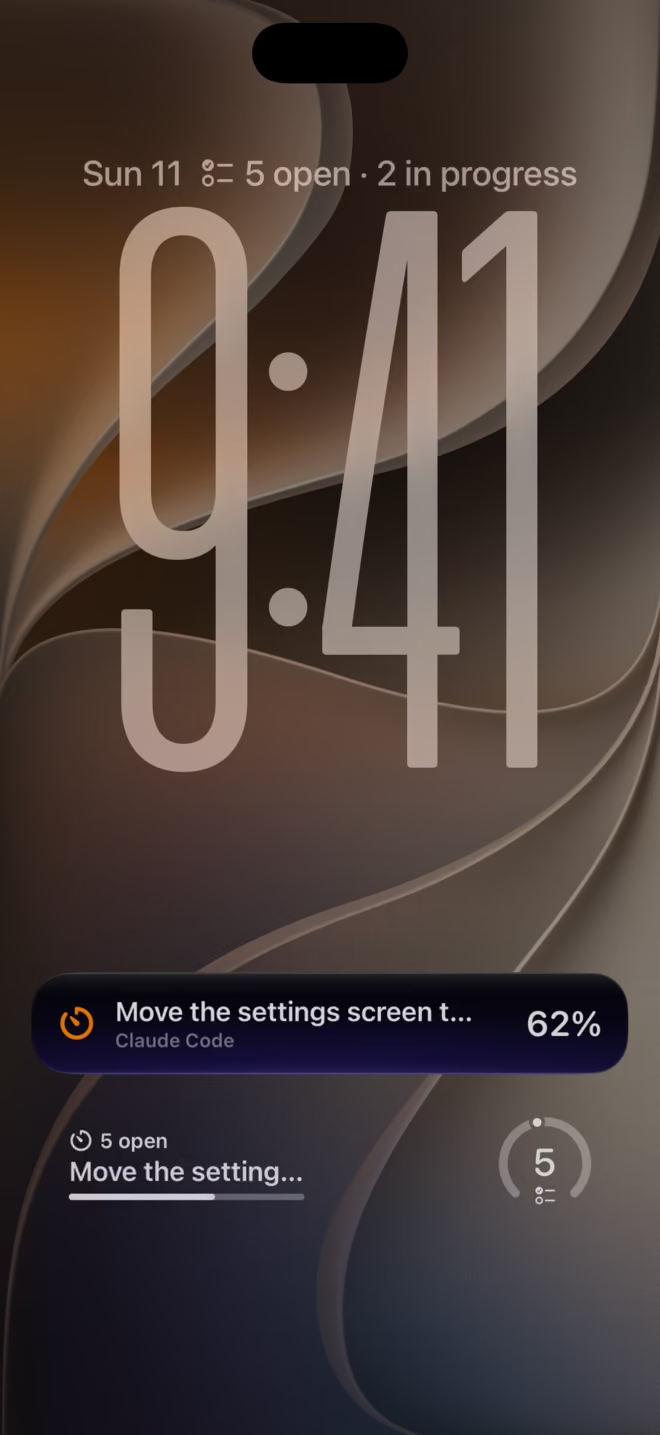
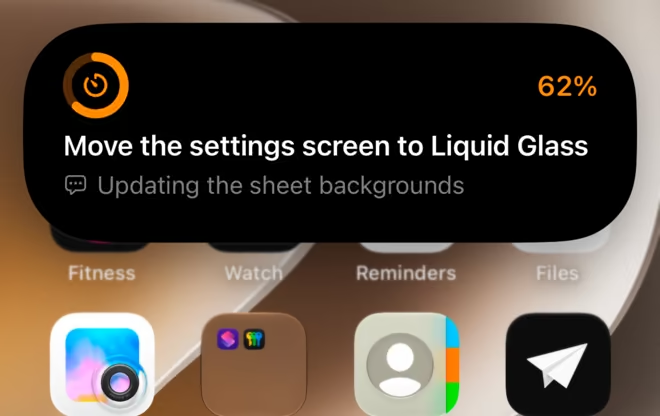
Live Activities
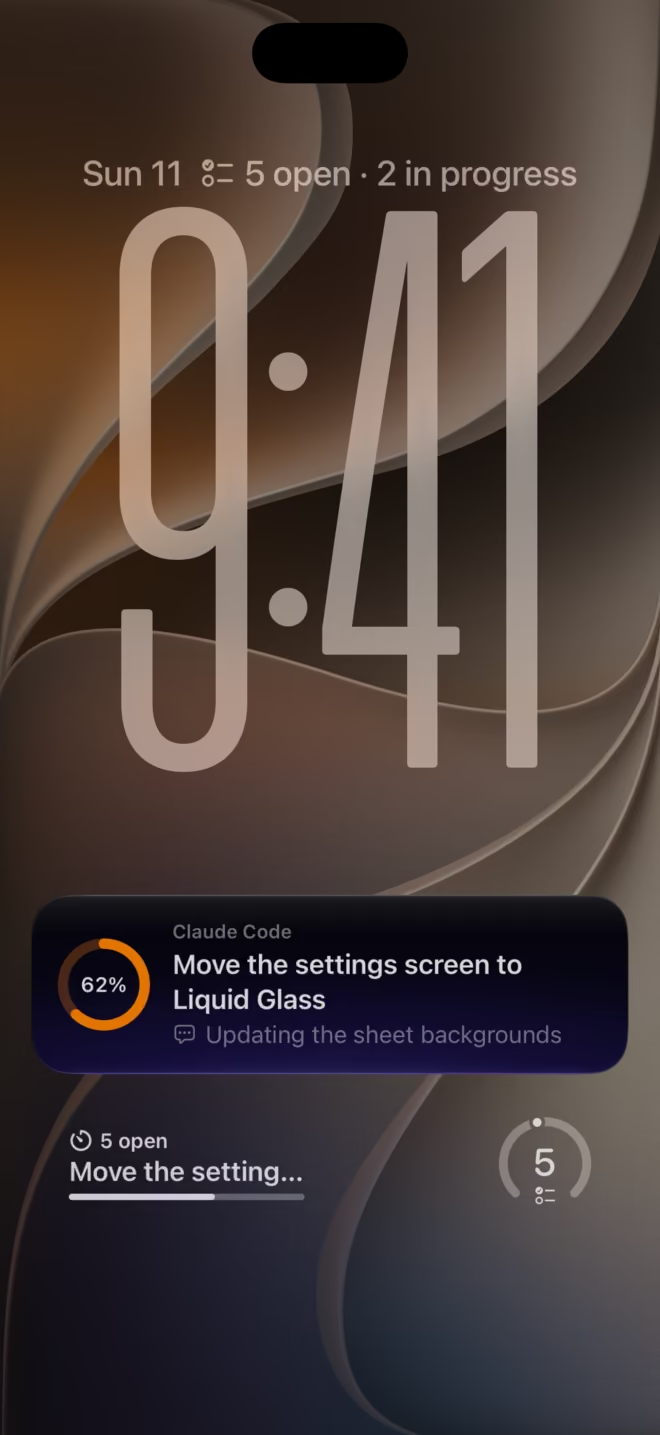
Progress, at a glance.
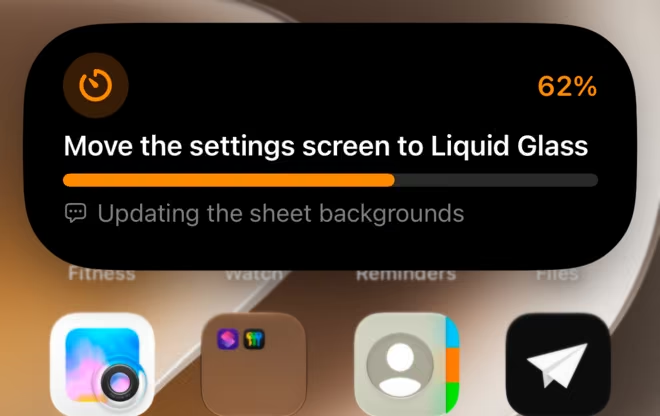
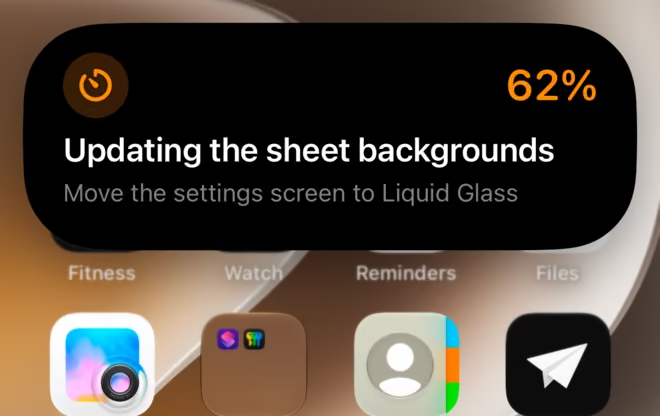
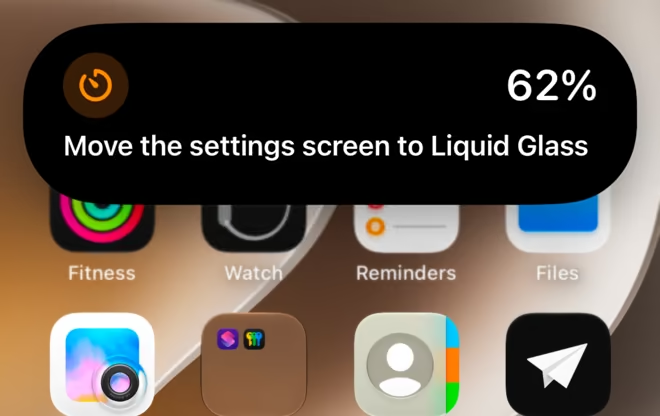
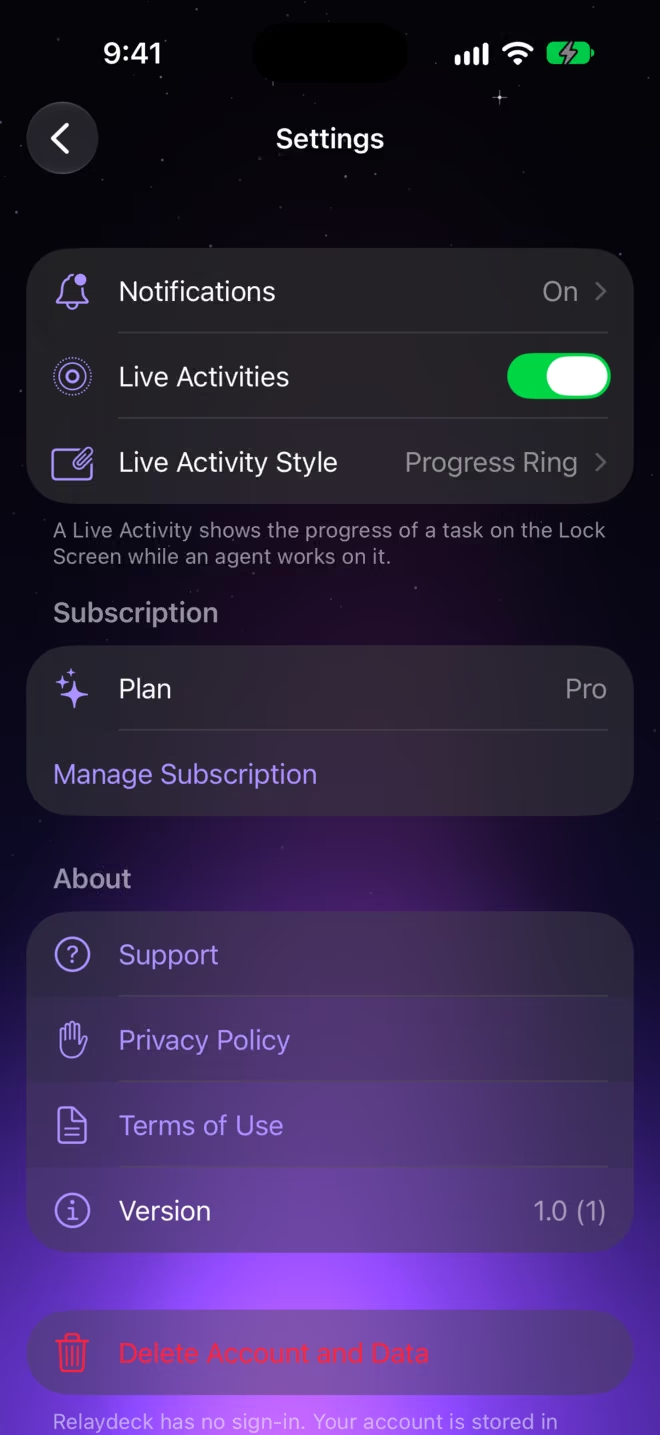
A task in progress becomes a Live Activity on the Lock Screen and in the Dynamic Island. You choose the layout, the symbol, and the accent color.
Widgets, Siri, and Apple Watch
On every screen.
-
Widgets
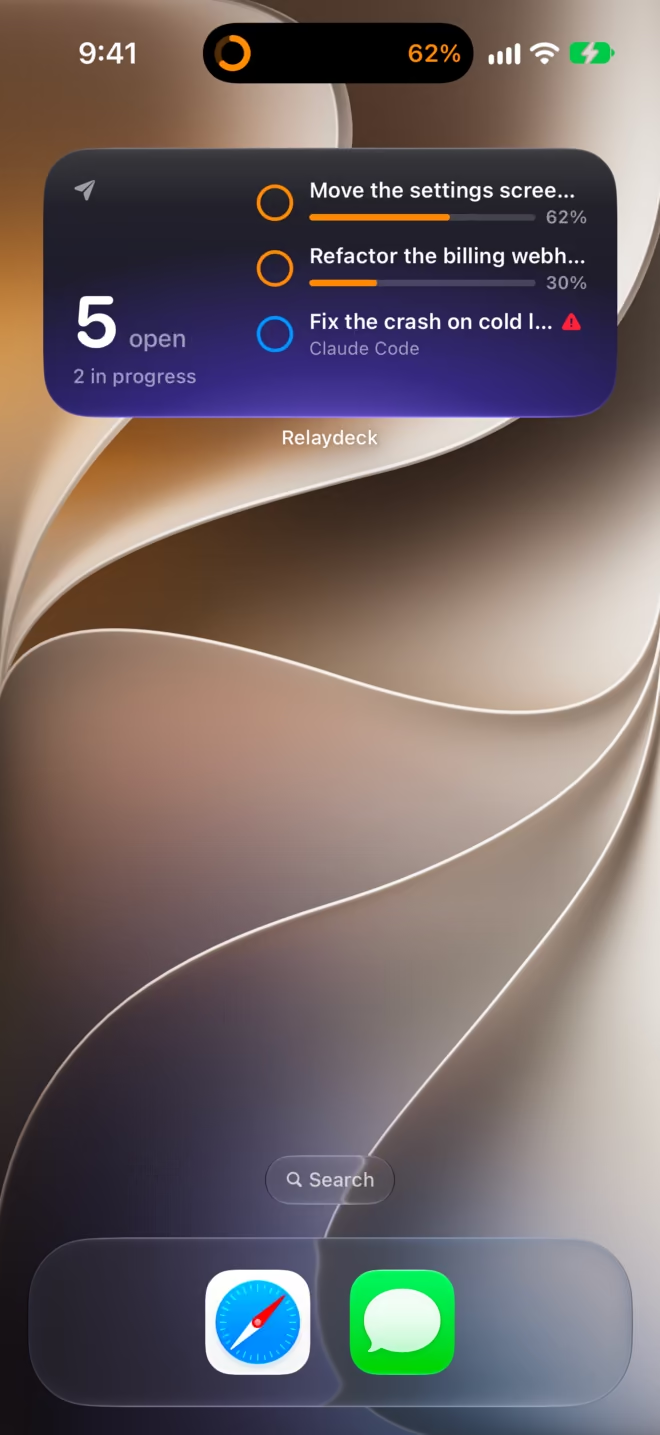
Put your tasks on the Home Screen in three sizes, and on the Lock Screen.
-
Apple Watch
Get the notification on your wrist, answer a question there, and add a complication to your watch face.
-
Siri and Shortcuts
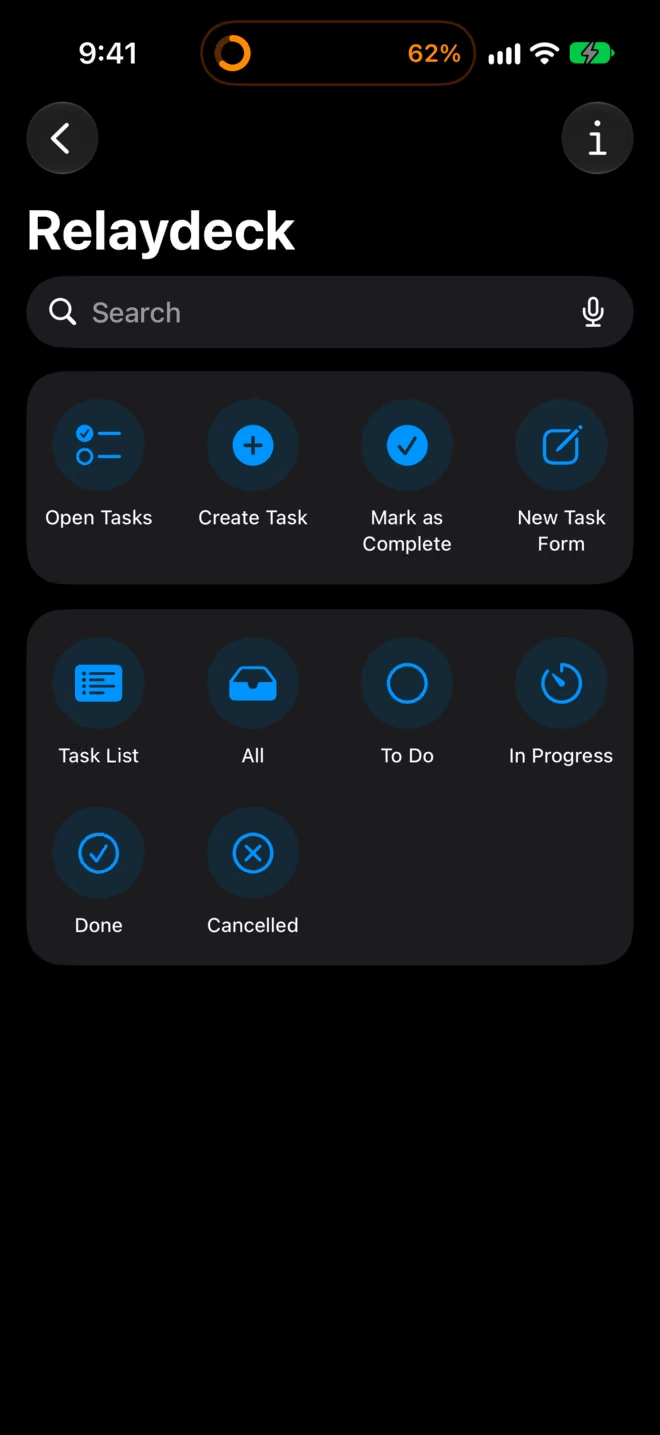
Use the actions of the app with Siri, or put them in a shortcut.
-
iPad
A sidebar for your agents and statuses, with the open task beside the list.
Privacy
No email. No password.
The app makes an anonymous account the first time it opens. The server stores no name and no email address. It has no tracking, no ads, and no third-party analytics.
One key for each agent
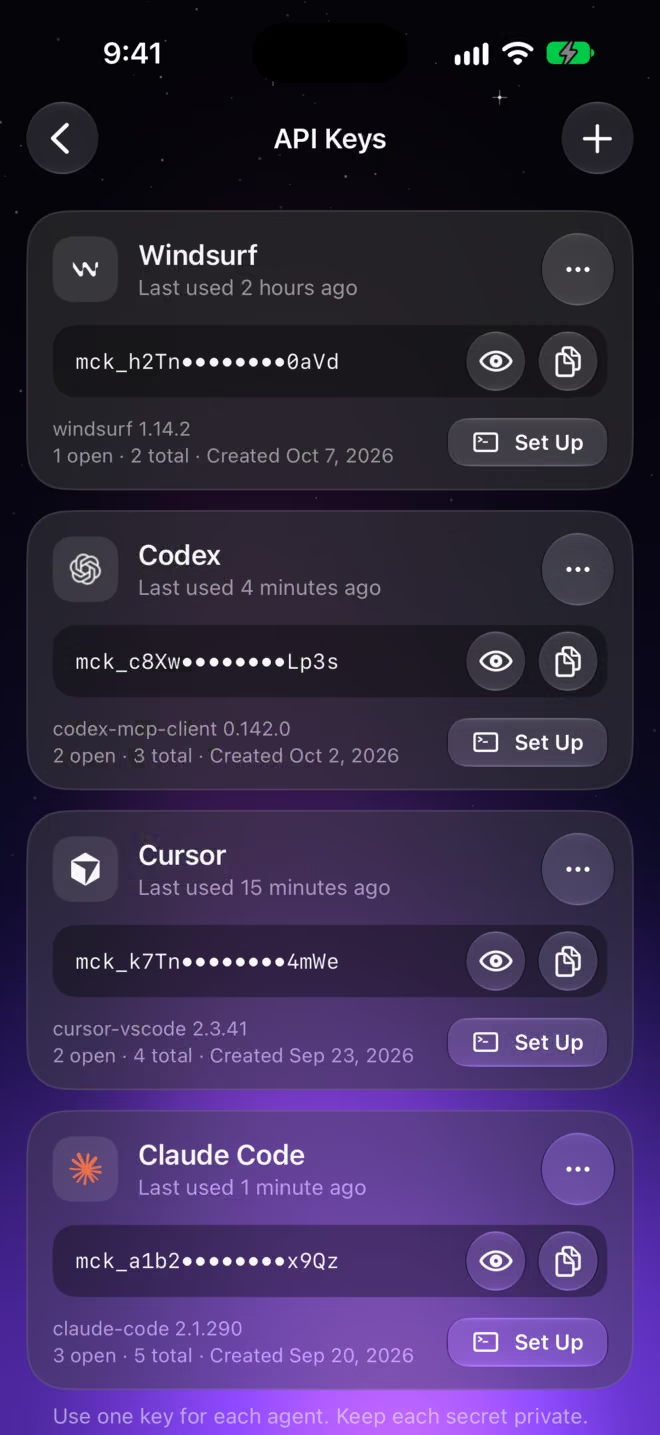
Each agent has its own API key and sees only its own tasks. The server keeps a hash of the key, not the key.
Yours to delete
Delete a task, a key, or the full account in the app. The server then removes its data.
Closed tasks expire
The server deletes a task 90 days after it is done or cancelled.
In short
From the agent to you.
An agent gets eleven tools. This is what they do on your side.
The agent makes a task.
You see it in the inbox on each device.
The agent updates the status and the progress.
You watch the task and its Live Activity change.
The agent sends a notification.
You get it on iPhone, iPad, and Apple Watch.
The agent asks a question.
You answer from the notification, the Live Activity, the app, or the watch.
The agent reads its inbox.
It gets your messages, your answers, and your changes to its tasks.
Setup
Connect your agent.
Make an API key in the app. Then run one command in a terminal.
curl -fsSL https://relaydeck.onrender.com/install | sh
Use the arrow keys to choose one agent and connect it with its own key. Then add another if you like. You can read the script before you run it.
Or set up one agent by hand
Replace YOUR_API_KEY with a key from the app.
Claude Code
Install the plugin in a session
/plugin marketplace add Aayush9029/mcp-server
/plugin install relaydeck@relaydeck
Claude Code asks for your API key one time and keeps it in the secure storage of your system.
Or install it from a terminal
claude plugin install relaydeck --marketplace Aayush9029/mcp-server --config api_key=YOUR_API_KEYOne command. It needs Claude Code 2.1.292 or later.
Or add the server without the plugin
claude mcp add --transport http tasks https://relaydeck.onrender.com/mcp --header "Authorization: Bearer YOUR_API_KEY"Codex
Install the plugin
export TASKS_API_KEY=YOUR_API_KEY
codex plugin marketplace add Aayush9029/mcp-server
codex plugin add relaydeck@relaydeck
Codex reads the key from TASKS_API_KEY. Put the export line in your shell profile.
Or add the server without the plugin
export TASKS_API_KEY=YOUR_API_KEY
codex mcp add tasks --url https://relaydeck.onrender.com/mcp --bearer-token-env-var TASKS_API_KEY
Cursor
Cursor opens and shows the server. Replace YOUR_API_KEY with your key, then install.
Or edit the file yourself
{
  "mcpServers": {
    "tasks": {
      "url": "https://relaydeck.onrender.com/mcp",
      "headers": {
        "Authorization": "Bearer YOUR_API_KEY"
      }
    }
  }
}
Other clients
Use the Streamable HTTP transport
https://relaydeck.onrender.com/mcpAuthorization: Bearer YOUR_API_KEYOr use the common JSON format
{
  "mcpServers": {
    "tasks": {
      "url": "https://relaydeck.onrender.com/mcp",
      "headers": {
        "Authorization": "Bearer YOUR_API_KEY"
      }
    }
  }
}
Many clients read this format. The documentation of your client gives the file location.
Open source
Read the server.
The server is open source. Read how it keeps your data, call the REST API from a script, or run your own copy.